Follow the tags you care about, right from the News Widget
Company updates should keep you informed, not keep you busy. In this article, we explain what we added to the News Widget to make news more focused and easier to follow. Users can now follow tags that matter to them. Pick what you want to see more often, and the widget brings together news that matches those tags. Less noise, more relevance, and a feed that fits your role.
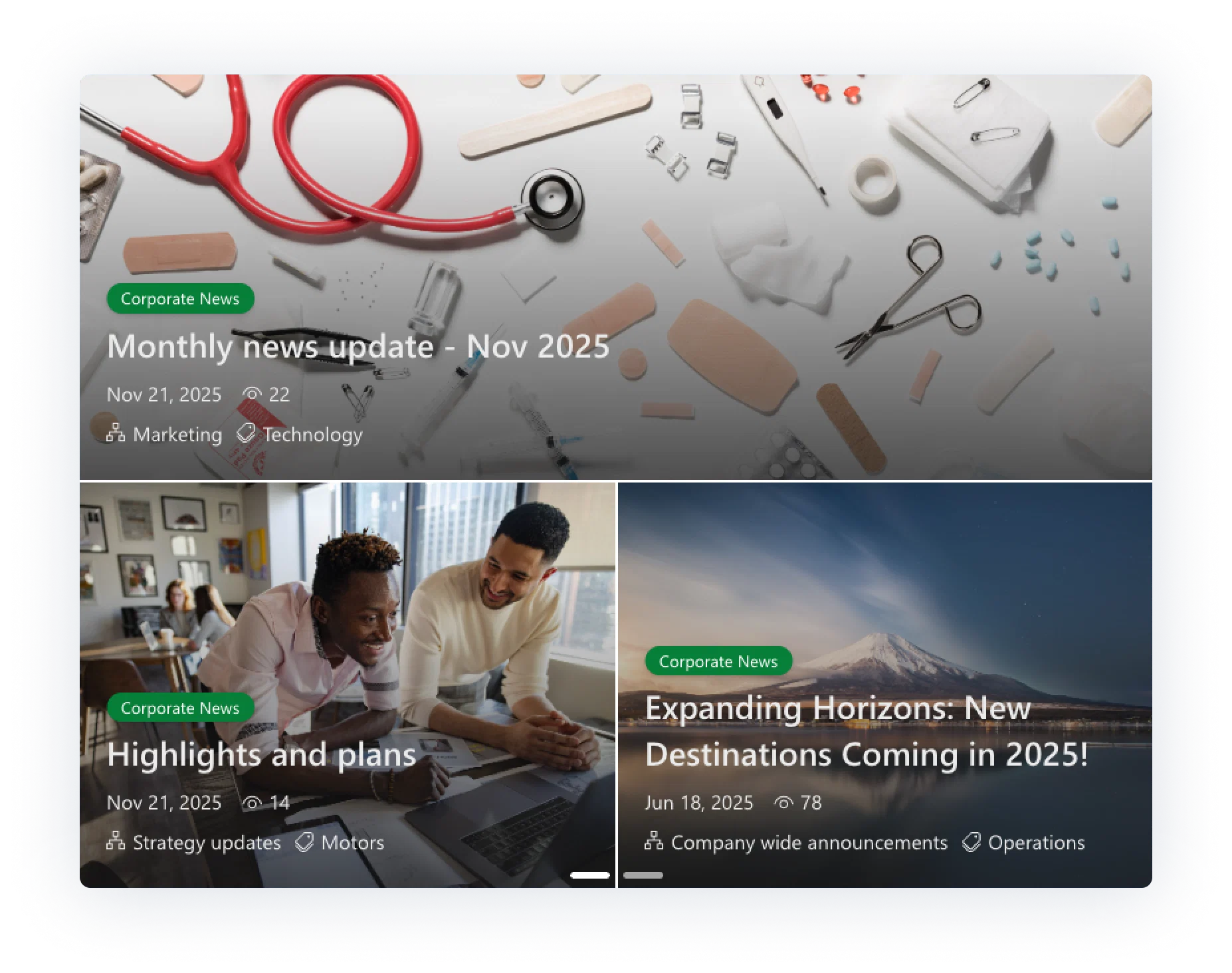
Users will notice the difference right away. News items can display tag labels on the cards, making it easier to scan what an item is about before opening it. Once users follow specific tags, the widget starts prioritizing and aggregating the news that matches those selections, so the feed feels more personal without losing the important updates.
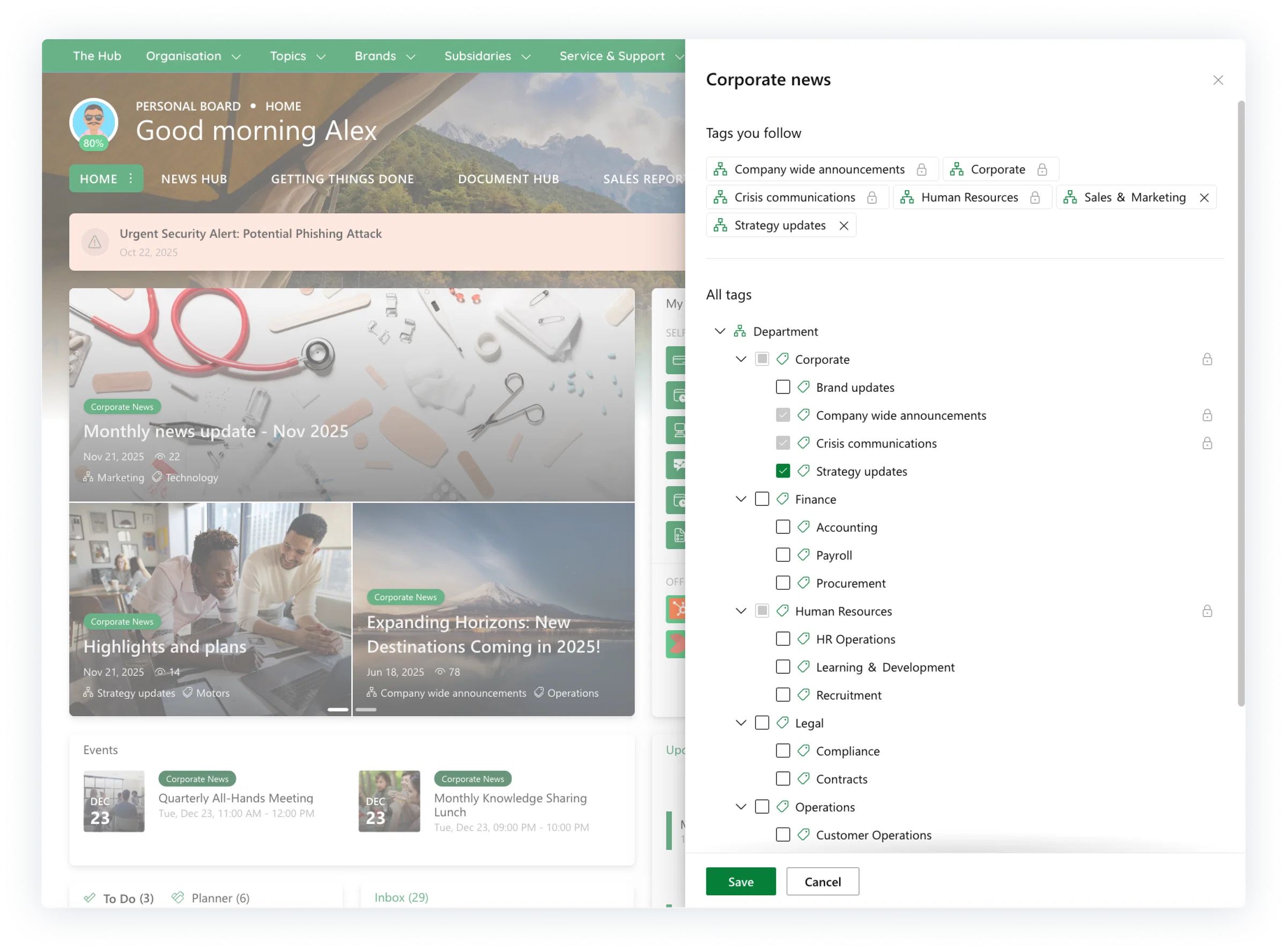
Users can follow tags by opening the widget settings and selecting the tags they want to add, or remove. The News Widget then updates automatically, keeping the feed aligned with what the user actually wants to see. Some tags may be marked with a lock icon, showing they are mandatory and cannot be removed. This keeps the rules transparent, while still giving users room to personalize what they follow.
For admins: connect term sets and guide what users follow
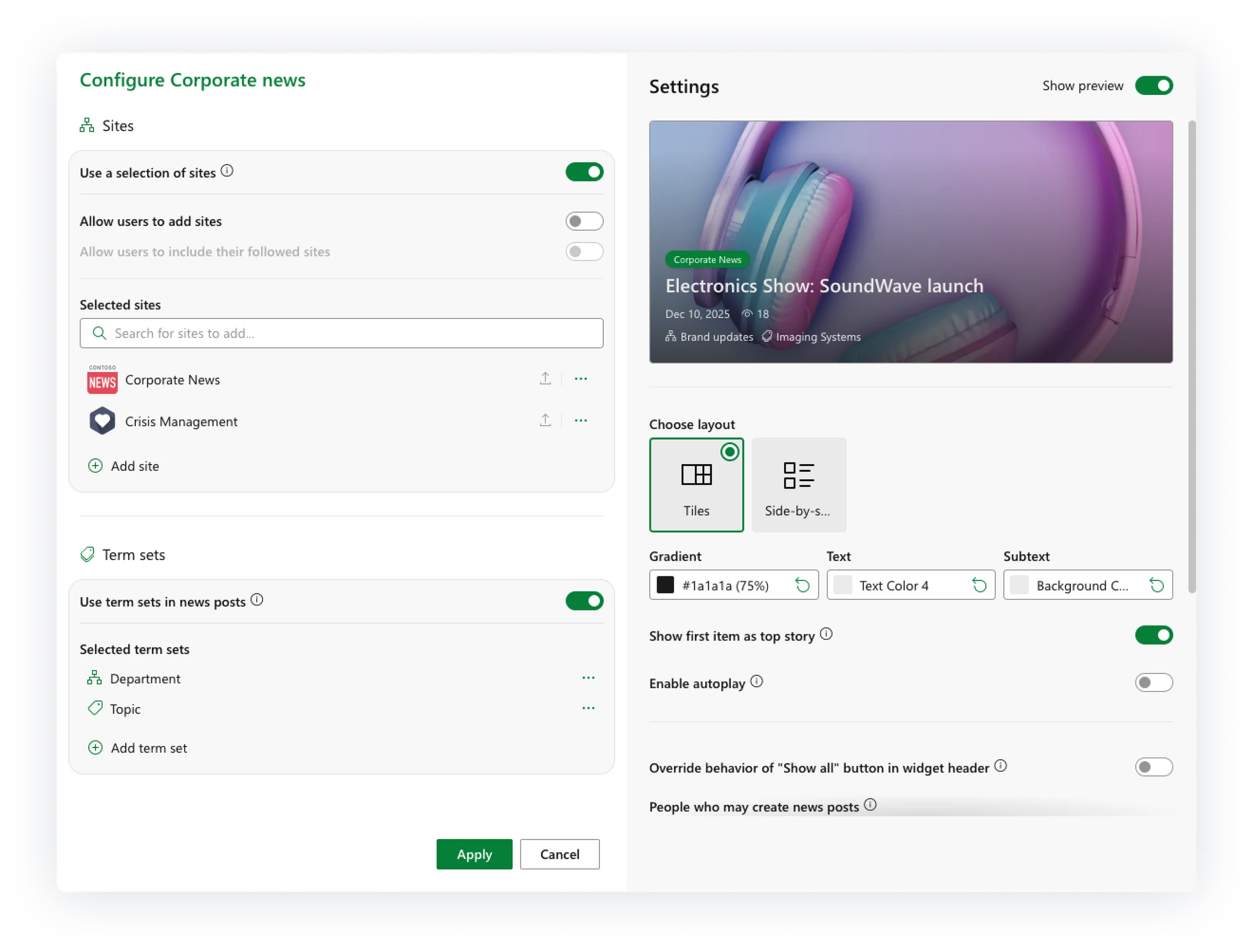
Admins can connect a SharePoint term set to the News Widget, so the same taxonomy used to tag news becomes the foundation for following tags. This keeps tagging consistent and makes governance easier, because there is one central place where tags are managed.
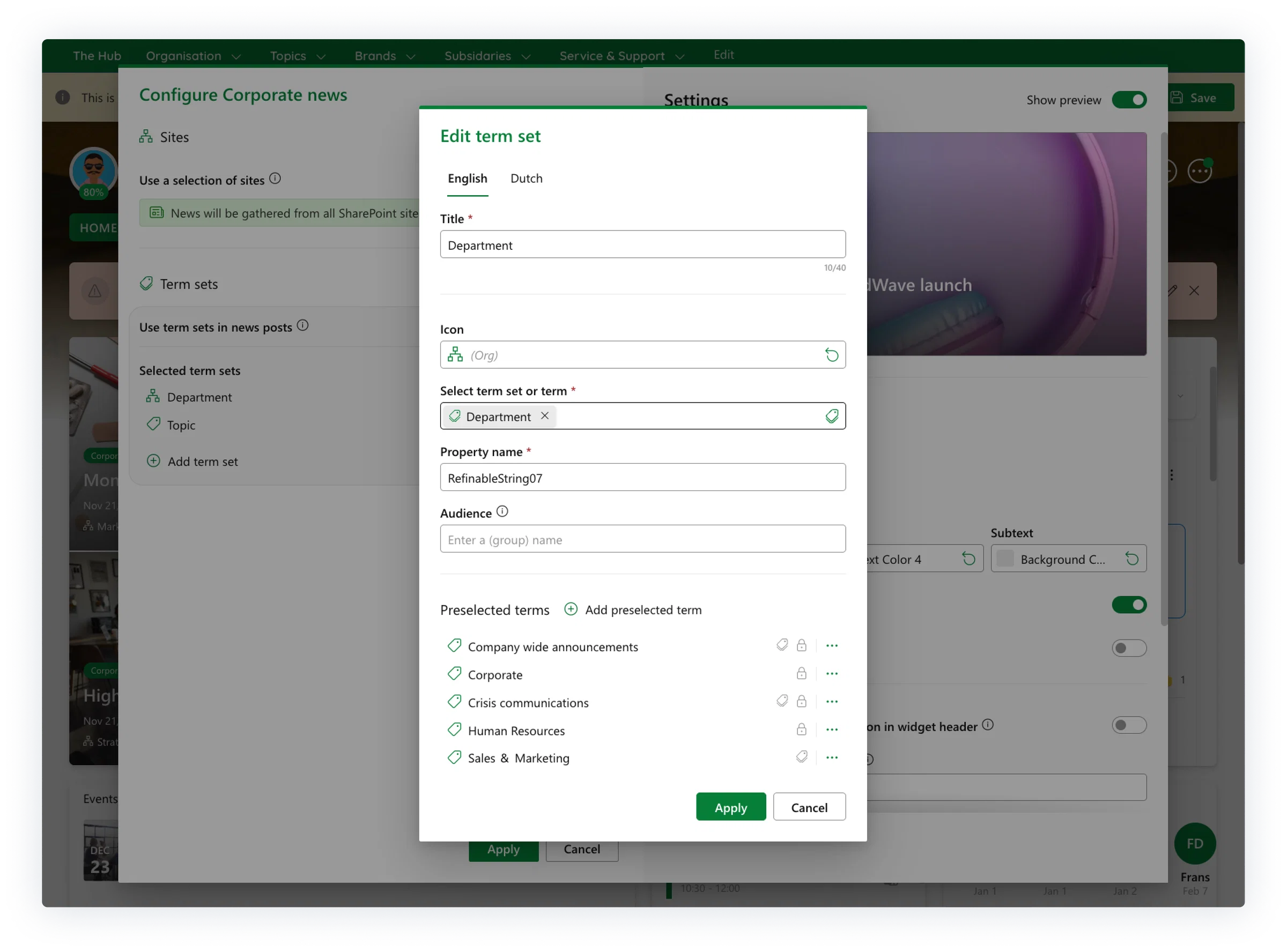
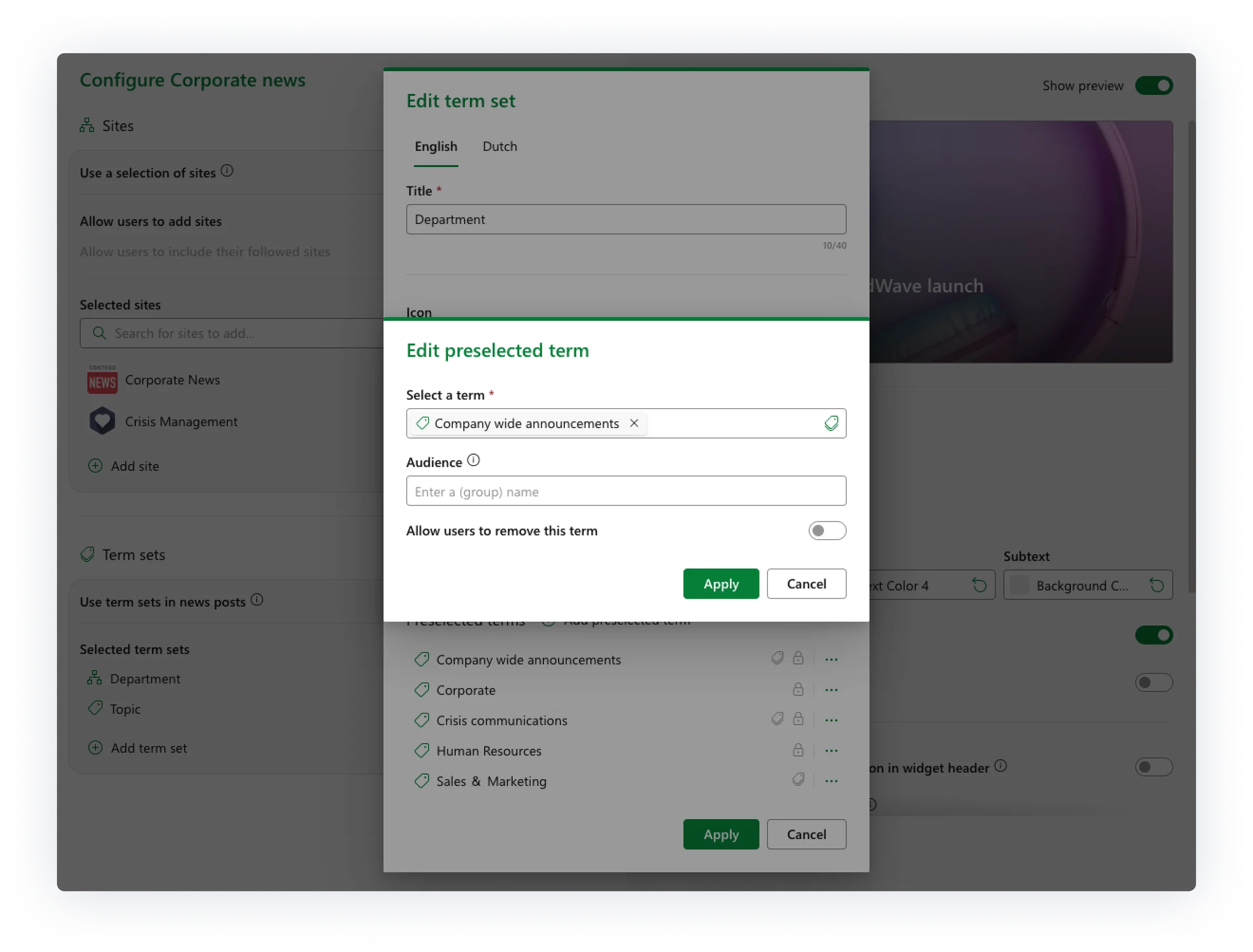
Admins can also define which tags are preselected and which are mandatory. That means critical communication can stay visible, while users still get the freedom to follow what is most useful for their day to day work.
You can also combine this new tag based approach with the existing way of selecting and following sites. Depending on your organization’s needs, you can choose one method, or use both together. Some customers prefer site based selection for clear ownership and structure, while others use tags to fine tune what users see across multiple sources.
Built for communicators who want reach without overload
If you manage internal communication, you know the balancing act. You want key updates to land, while also keeping people engaged. Tag following makes that easier. When news is tagged consistently, the right messages reach the right audiences through aggregation, without sending everything to everyone.
Mandatory tags protect visibility for must read updates. Optional tags help different roles discover the content that matters to them. The result is a news experience that feels more personal for users, and more structured and maintainable for the people shaping the message.
Availability in production
To wrap it up, this update will be available in production in the first week of January, so you can start using tag following, preselected tags, and mandatory tags to make workplace news more relevant right away. A tidy news feed is a pretty great way to kick off the new year.