Calendar Widget updates that make planning easier
A quick glance at your day should tell you what matters next. We have renamed the Upcoming Meetings Widget to the Calendar Widget, and it now offers more ways to view your schedule, better configuration, and stronger admin control over which calendars are available. In this article, we explain what we added and how it keeps planning simple.
More calendar views when you need them
The widget now supports Day, Work week, Week, and Month view. That means you can zoom in for today’s meetings or zoom out to plan the rest of the week, without leaving your board.
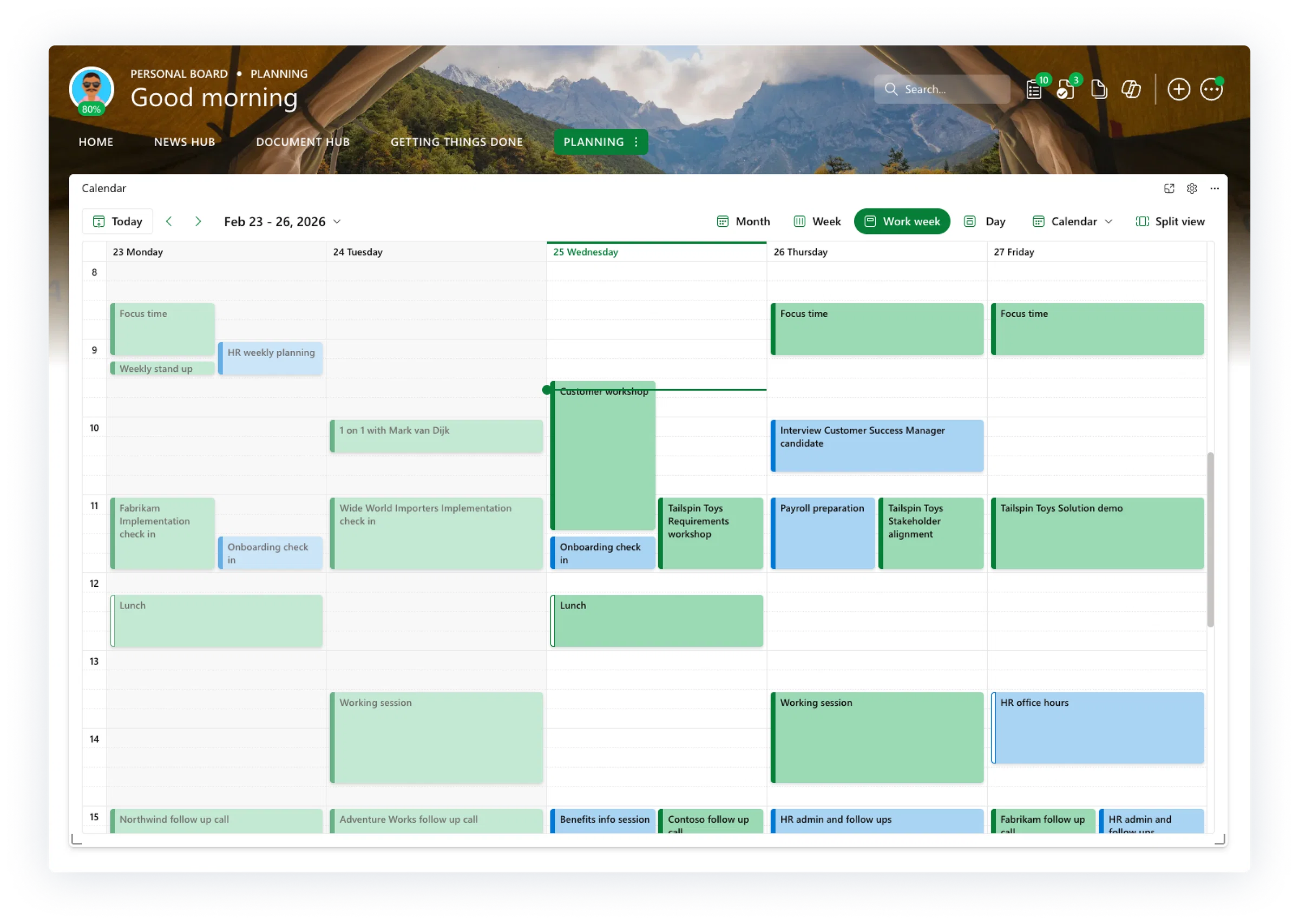
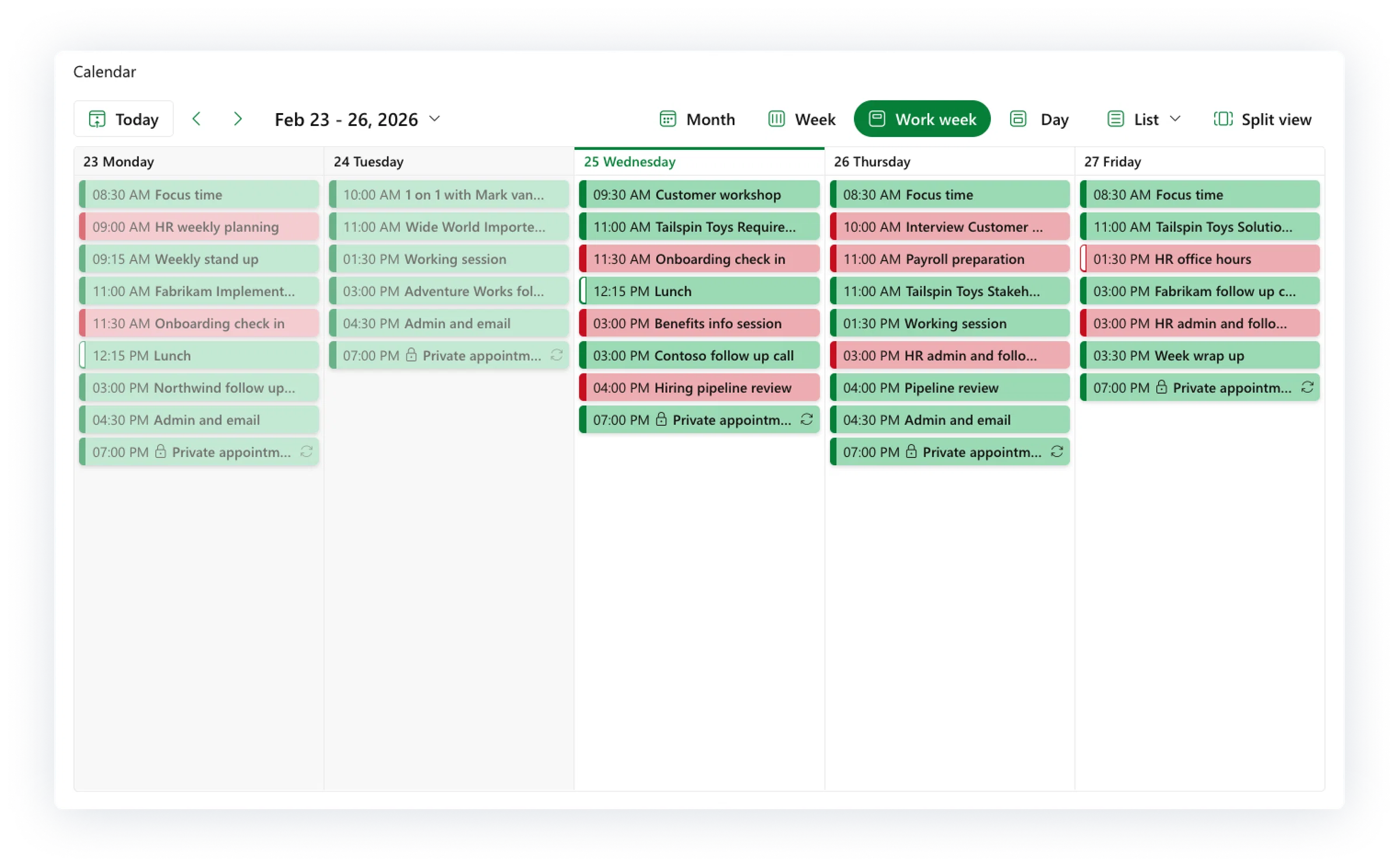
You can also switch between Calendar, Timeline, and List view. Some roles like the calendar grid, others prefer a clean list, and timeline is great when you want to see the flow of the day at a glance. Choose what fits your way of working.
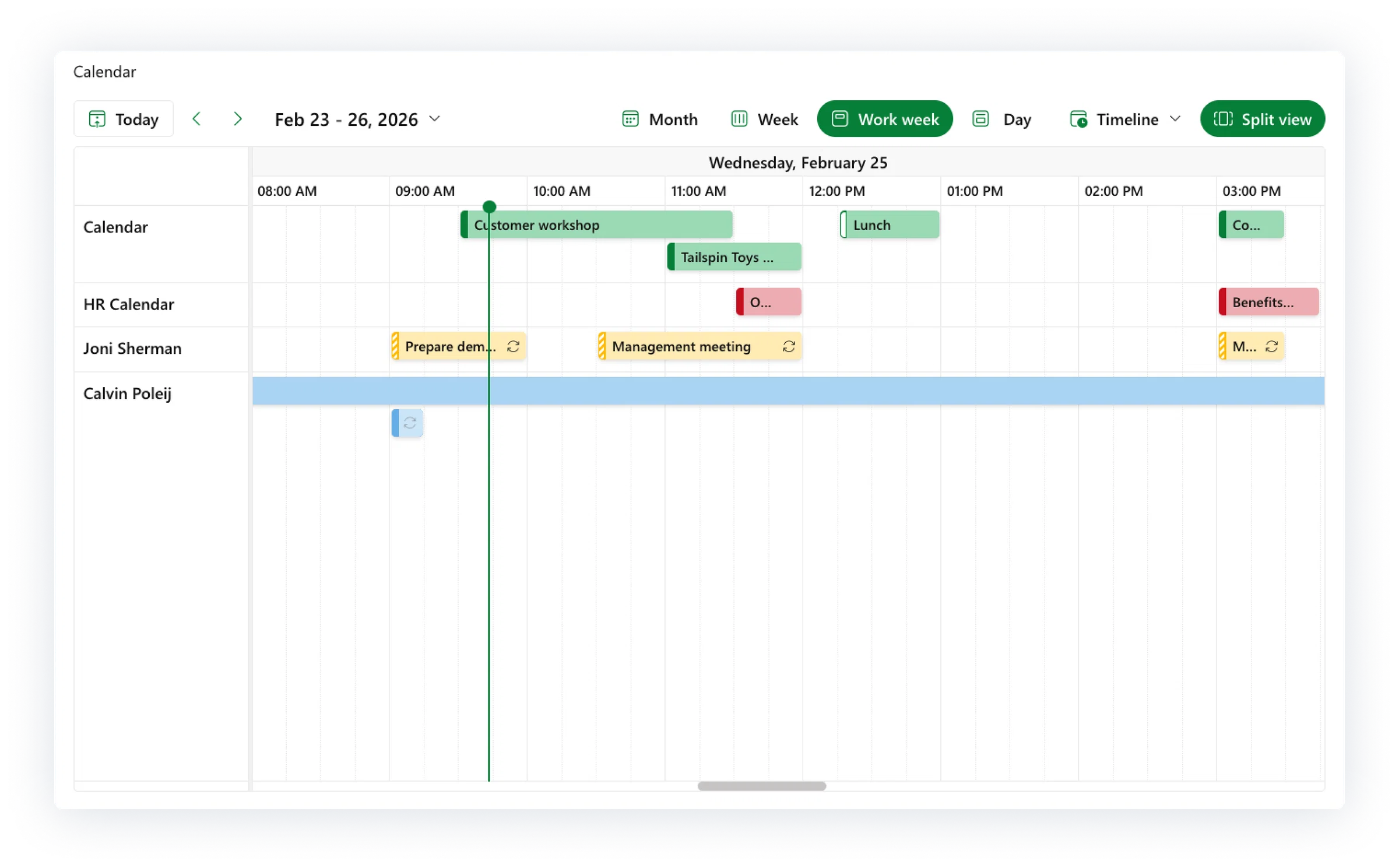
Split view for extra overview
We added Split view to give you more context while planning. It helps you keep an overview of your schedule without constantly switching back and forth between views.
Small widget, full calendar in one click
If the widget is placed on a board in a compact size, you can now open the full view instantly using the dialog pop out button in the widget header. It is a quick jump from glance mode to planning mode.
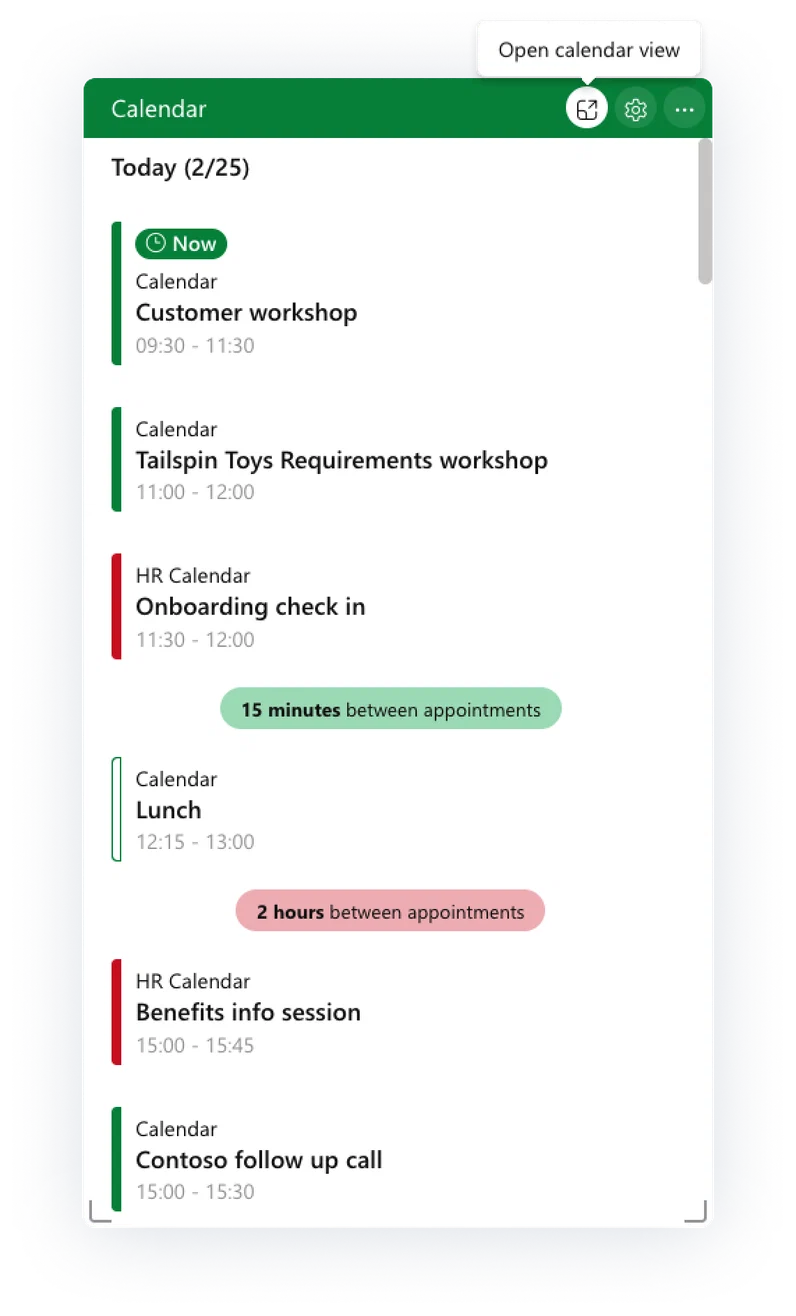
In Day view, you now also see previous meetings, while the widget automatically scrolls to the current or upcoming meeting when it loads. You get context, but you still land exactly where you need to be.
Better user settings and familiar colors
The user configuration has been improved so you can select additional calendars more easily. Add what you need, leave out what you do not, and keep the view focused.
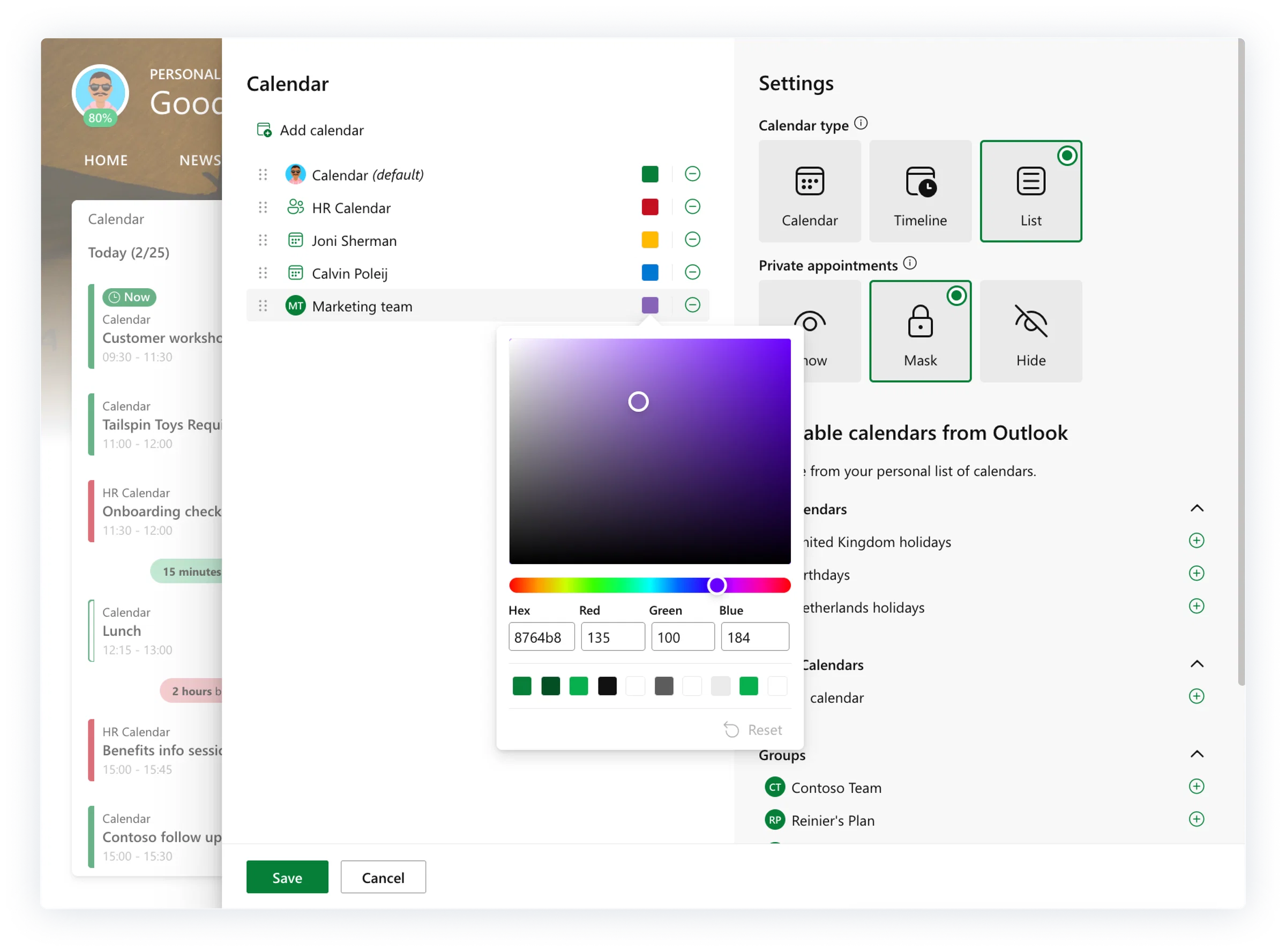
Calendars can also be color coded. If you already set colors in Outlook, we reuse them automatically. That keeps things familiar and makes it easier to scan multiple calendars.
Admin controls that keep things tidy
Admins can now configure which calendars are available in the widget. You can offer a selection of calendars users can choose from, or push a calendar to make sure a specific calendar is available by default.
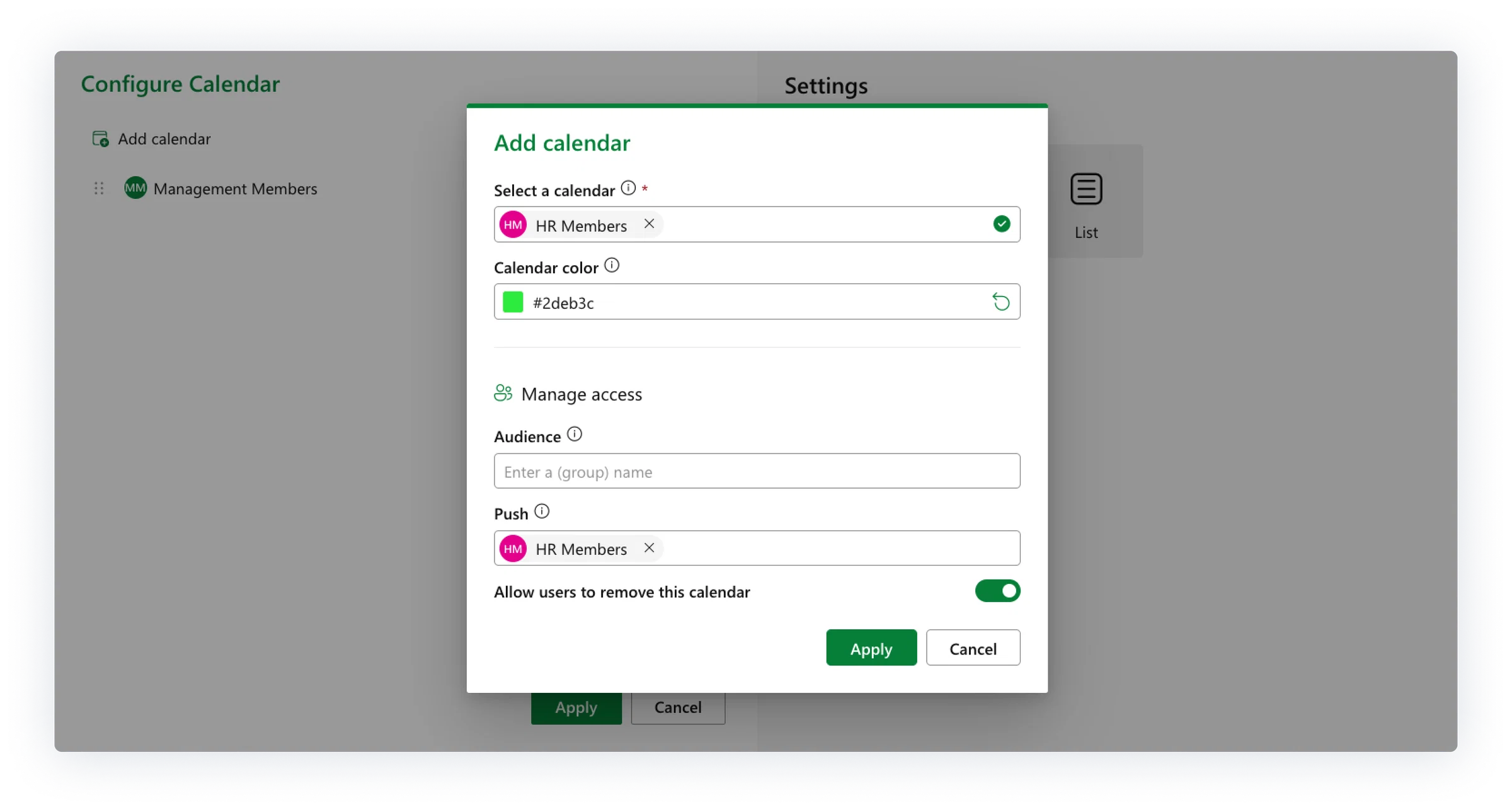
This is especially useful when a certain audience or role should see shared calendars, without giving everyone a long list of options they will never use.
A calendar widget that fits how people work
With more views, easier configuration, color support, and stronger admin control, the Calendar Widget becomes a better companion for day to day planning. Fewer clicks, clearer choices, and a schedule that is easier to read.
Availability
We will roll out this update during the week from February 23 to February 27.